Add "Command prompt here" explorer menu item
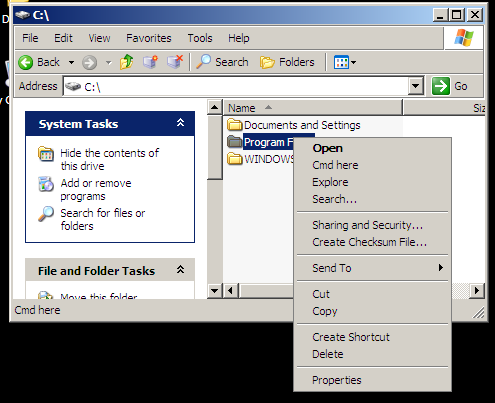
It's very handy to be able to open command prompt right from the Explorer's context menu. This saves you opening the Start menu and then cd-ing manually to the desired location.
Here's how to add this in 5 minutes:
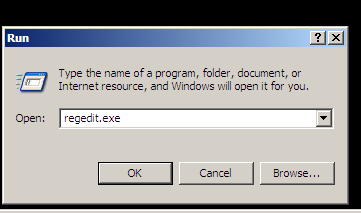
Open regedit
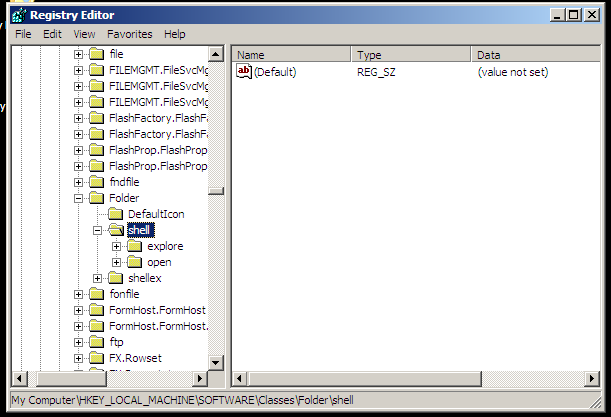
Locate HKEY_LOCAL_MACHINE/Software/Classes/Folder/Shell key
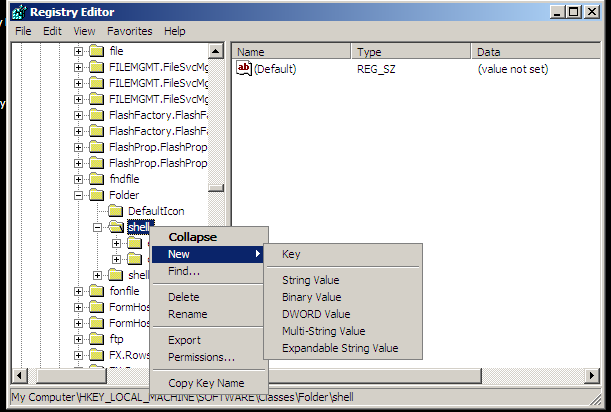
Add new subkey named "cmd"
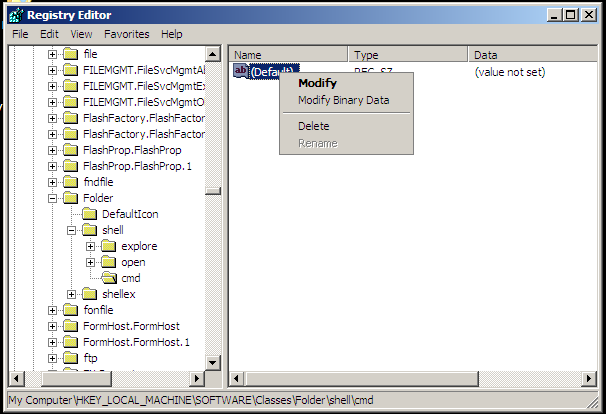
Edit Default value to whatever you want to appear in the context menu, for example "Cmd here"
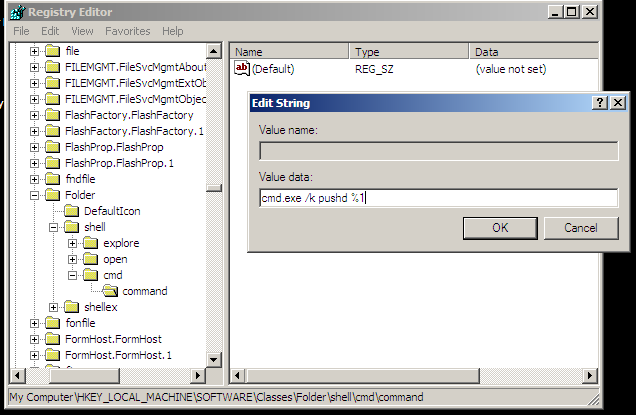
Add subkey named "command" to the newly created key
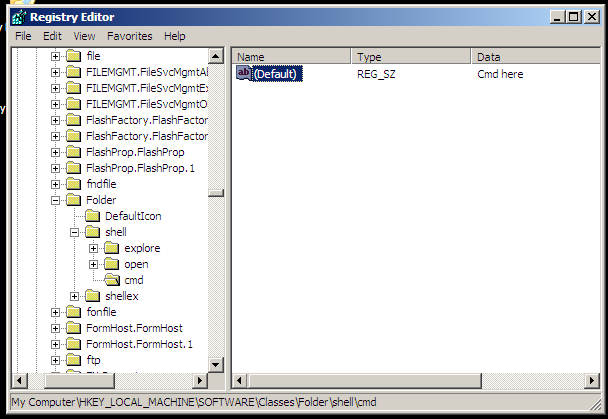
Set Default value to
cmd.exe /k pushd %1
That's it
No comments yet
This page was last modified on 2024-04-25 13:44:15